Six years freelancing. You know what the hardest part was? Not finding clients — it was everything around the work. Proposals. Follow-ups. Pricing emails. Those “just checking in” messages that feel awkward no matter how many times you rewrite them. (I’ve rewritten some of them four times. Still awkward.)
Last spring I timed it, because I had a feeling and I didn’t like the feeling. Nine hours a week. On admin I couldn’t bill for. Nine hours — that’s a full workday, gone, every single week.
So I built a system. Seven ChatGPT prompts now handle roughly 80% of my non-billable admin. Not the client work — the business side of freelancing. Here they are. Steal them.

TL;DR: Freelancers lose about a full workday each week to proposals, pricing, and follow-ups they can’t bill for. Seven copy-paste ChatGPT prompts cover most of that admin in minutes. Feed the AI your rates, niche, and past wins so it sounds like you. Start free; pay $20/month only when you hit usage limits.
Update — October 2026: I reviewed this post in October 2026, and the prompts and methods here still apply. For related reading, see the Excel prompts, the small business prompts, and the free AI tools list.
What does “using AI as a freelancer” actually mean?
It means you stop doing the repeatable stuff yourself. Proposals, estimates, follow-ups, meeting notes — the boring-but-necessary machinery of a freelance business — goes to ChatGPT. You keep the judgment calls. Think of it as a very fast assistant who never sleeps and takes everything literally. You’re still the freelancer. It just clears your desk.
Why bother? Honestly, the numbers. Upwork’s Freelance Forward 2023 survey counted 64 million Americans freelancing — 38% of the US workforce. And get this: a 2023 Harvard Business School and BCG experiment found consultants using GPT-4 finished about 25% faster at roughly 40% higher quality. Do I believe it? My proposals went from 45 minutes each to ten. So yes. Yes I do.
Should you pay for an AI plan, or is free enough?
Start free. Seriously — the free version runs every prompt in this post without breaking a sweat. Pay the $20/month for Plus only when you start hitting usage caps in the middle of a workday (the worst timing, always) or when you want voice mode and custom GPTs. Claude Pro is the same price and better for long-form writing, if that’s your thing.
| Plan | Cost | Best for freelancers |
|---|---|---|
| ChatGPT (free) | $0 | Runs all seven prompts below |
| ChatGPT Plus | $20/month | Daily heavy use, voice dictation, custom GPTs |
| Claude Pro | $20/month | Long-form writing, careful rewrites, long client docs |
| Perplexity Pro | $20/month | Fast research with cited sources for proposals |
I put the paid plans head to head in my ChatGPT Plus vs Claude Pro vs Gemini breakdown. Short version? Most freelancers need exactly one of them. Maybe zero.
The 7 prompts that run my business
Here’s how this works. Copy the prompt. Fill in the brackets. Paste it into ChatGPT. Then — and this matters — edit the output like a human being. Because you are one. The prompt gets you 80% there; the last 20% is what makes it yours.
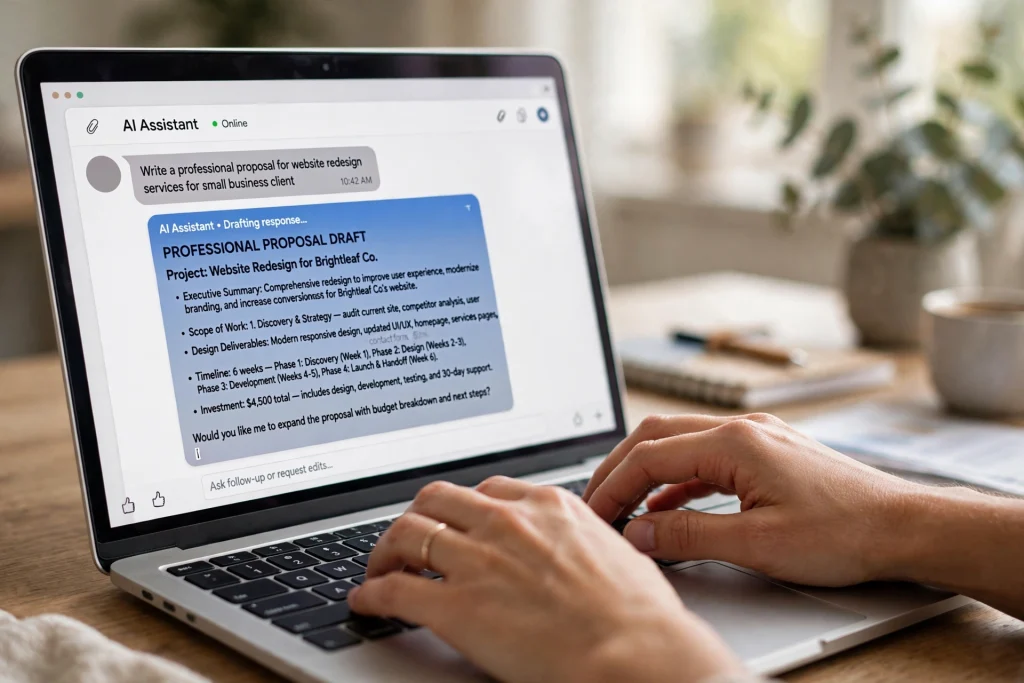
1. The proposal writer
Job posts used to freeze me solid. I’d stare at the screen for twenty minutes before typing a single word. Now? I paste the post, add two lines about a similar project I finished, and let the first draft write itself. The staring is over.
PROMPT:
Write a 150-word proposal for this job posting, matching the client's tone. Mention my [2 years running email campaigns for SaaS] and the [42% open-rate lift] I got for a past client. End with one question about their project. Job posting: [paste]
My one edit rule: add a detail about their business that isn’t in the posting. Anything. It proves you actually read it. (Most people don’t.) Any of the free AI tools in my roundup can run this prompt, by the way.
2. The pricing calculator
“What would this cost?” — four words, and my stomach used to drop through the floor. Now I answer in two minutes flat.
PROMPT:
Act as a freelance pricing coach. Scope: [paste]. Target rate: $[X]/hour. Experience: [one line]. Suggest a fixed price in three options (low, middle, high), each with one sentence I can paste into my reply.
Send the middle option. Almost always. Clients pick it way more often than you’d expect — there’s actual psychology behind it, but honestly I just know it works.
3. The follow-up nudge
This one prompt recovered about $1,200 in stalled invoices for me in a single month last year. A single month. Ten days of silence from a client feels like rejection. It isn’t, though. People are just… busy. Buried. The email slipped.
PROMPT:
Write a polite three-sentence follow-up email to a client who went quiet ten days after I sent a proposal. Friendly tone, no guilt-tripping, one clear call to action.
4. The polite no
Saying no to a lowball offer used to eat an entire hour — drafting, redrafting, softening, re-softening. Now it takes sixty seconds. And here’s the funny part: the client usually comes back with a real budget next time.
PROMPT:
Decline this freelance offer politely. The budget is too low but I like the client and want future work. Keep it under 80 words. Offer: [paste]
5. The scope clarifier
“Make it pop” is not a brief. I need everyone to internalize this: vague clients are the most expensive clients you’ll ever have. Not because they pay late — because you pay in revisions. Endless, soul-crushing revisions.
PROMPT:
Read this client message, flag anything ambiguous, and list the five questions I must ask before quoting. Message: [paste]
Ask those questions before you quote. Not after you’ve started — before. This is where scope creep goes to die.
6. The meeting summarizer
If you take client calls (and if you freelance, you do), record them. I use an AI meeting notes tool — Otter, Fireflies, whatever — I compared the big ones here. Then feed the transcript to this prompt and watch it turn rambling into structure.
PROMPT:
Turn these call notes into: 1) three decisions, 2) action items with owners, 3) a one-paragraph client recap. Notes: [paste]
7. The Monday admin sweep
Sunday night. Five minutes. That’s the whole ritual, I promise.
PROMPT:
Here is my week: [paste]. Give me a prioritized Monday to-do list, flag anything due this week, and draft the reply I owe. Under 200 words.
This is the freelance-sized version of my email system. The full version cut my email time in half — which, given how much I used to live in my inbox, was honestly life-changing.
The one thing AI can’t do for you
Raise your rates. I mean it. Nearly every freelancer I know undercharged for their first two years — I definitely did. And here’s the cruel twist: AI makes you faster, which makes undercharging hurt MORE. You finish cheap work in record time now. Congratulations? So once these prompts save you five hours a week, don’t fill those hours with more cheap clients. Charge more per hour instead.
FAQ
Yes, for everything in this post. Upgrade to Plus at $20/month when you start hitting usage caps in the middle of your workday, or when you want voice mode and custom GPTs.
Only if you paste the output raw. Always edit: add one specific detail about their business, cut the fluff, and read it out loud once. A proposal that sounds like you wins. A generic one loses either way.
ChatGPT for versatility, Claude for careful writing, Perplexity for research with sources. Start with free ChatGPT and add a paid plan only when you hit a limit.
Don’t paste anything under NDA, passwords, or private customer data. Summarize instead. For legal, medical, or finance clients, use temporary chat or your company’s approved tool.
It can draft one, but have a lawyer or a proper template service review it before you rely on it. A bad contract costs far more than a lawyer ever will.
Start with the follow-up prompt
Do one thing this week. Just one: run prompt #3 on a client who went quiet. Ninety seconds, that’s all. It’s the highest-ROI email most freelancers never send — I sat on mine for months before trying it, don’t be me. Then add the proposal writer next time a good job post lands. And if you want the whole weekly system, my guide to planning your whole week with ChatGPT covers the rest.
Save hours every week with AI
One practical tip every Tuesday — the AI tools, prompts, and workflows that actually save you time. Free, no fluff.
No spam. Unsubscribe anytime.