I asked an AI to make me a video of a golden retriever surfing last Tuesday. Not because I needed it. Because I couldn’t not try.
That one clip sent me down a two-week rabbit hole. I ran the same five prompts through Runway, Pika, Kling, Luma, and Google Veo — a solid sample of the AI video generators you can actually sign up for right now — and compared what came out. Some of it looked like real film. Some of it looked like the camera operator was having a stroke.
Here’s the honest breakdown.
TL;DR: I tested 5 AI video generators head-to-head: Runway is the best overall for quality, Pika wins on price, Kling is the volume play, Luma looks gorgeous but costs more, and Google Veo is the dark horse to watch. Start on a free tier — pay only when you hit the limits.
Update — October 2026
Update, October 2026: two things changed since I first wrote this. First, Google’s current video line is Veo 3.1, with Fast and Lite variants, still reached through Google AI Pro and Flow — so read every ‘Veo’ row above as Veo 3.1. Second, the Sora story is closed: OpenAI discontinued the Sora consumer app on April 26, 2026, and the Sora API followed on September 24, 2026. If you see Sora in an old roundup, treat it as history, not an option. Runway’s current flagship for camera-control work is Gen-4.5.
If you want to go deeper, see the AI image generators compared, the best AI Chrome extensions for creators, and the ChatGPT prompts for freelancers.
What is an AI video generator?
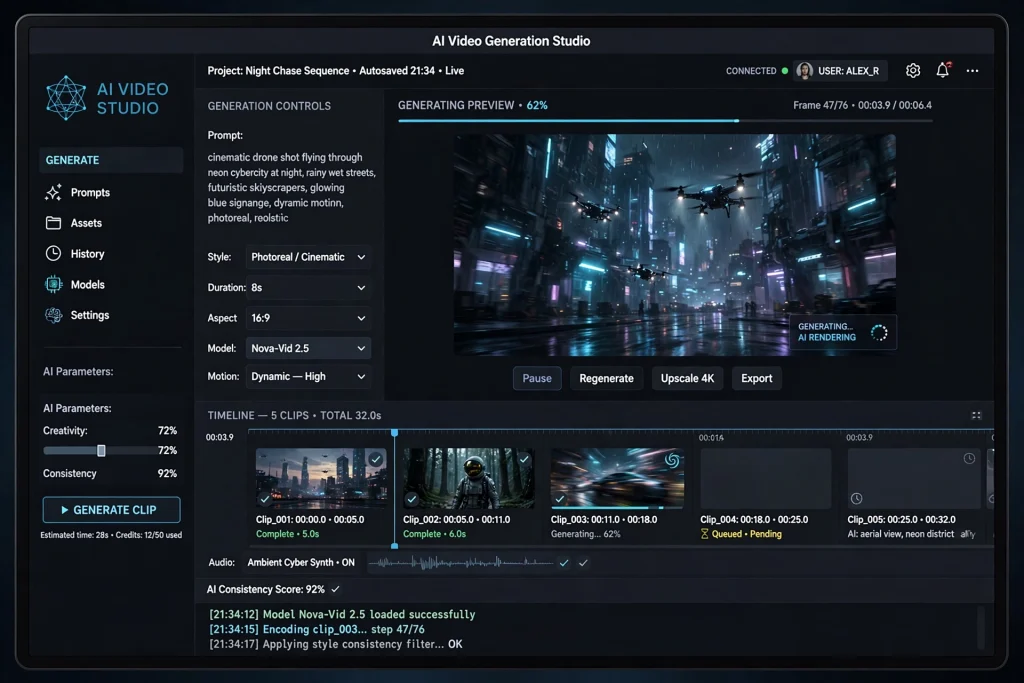
What is an AI video generator? An AI video generator is a tool that turns a text description — or a still image — into a short video clip. You describe the scene, the model renders the motion, lighting, and camera work for you. Most clips run 5 to 25 seconds, and you assemble anything longer in an editor.
Which AI video generator is best?
For most people, Runway is the best AI video generator right now. It nails realistic motion, gives you real camera control, and the $15-a-month plan stretches further than rivals. But Pika wins on price, Kling wins on volume, and Google Veo has the most natural built-in audio. Pick based on what you’re making.
Quick side-by-side:
| Tool | Starting price | Max resolution | Free tier |
|---|---|---|---|
| Runway | $15/mo ($12 annual) | 4K | 125 one-time credits |
| Pika | ~$8/mo annual | 1080p | Free, watermarked |
| Kling | $6.99/mo | 1080p | 66 credits/day |
| Luma | $30/mo | 4K | None |
| Google Veo | $19.99/mo (Google AI Pro) | 4K | Limited |

Runway: the one professionals pay for
Runway is the one professionals actually pay for. Its Gen-4 model handles camera moves — dolly zooms, rack focus, slow push-ins — that make clips feel shot by a human operator.
The free plan is stingy (125 one-time credits), but the $15 Standard plan gets you 625 credits a month, or $12 if you bill annually. One honest catch: Runway’s credit-to-seconds math has been confusing, with different numbers on different pages. Spend the free credits first, on a prompt you’d actually use in real work.
Pika: the cheap, fun one
Pika is the fun one. Clips top out around 1080p and a few seconds each, and the results skew stylized rather than photoreal. For memes, reaction clips, and TikTok filler, that’s honestly enough — nobody watches a twelve-second vertical clip asking for cinema.
The free plan watermarks your exports. Standard starts at about $8 a month on annual billing. If you’re just testing whether AI video is worth your time, start here. It’s the cheapest seat in the theater, and there are plenty of other free AI tools worth trying before you spend anything.
Kling: the volume play
Kling is the volume play. It hands out 66 free credits every single day — unusually generous — and the paid Standard plan is $6.99 a month. Clips can run longer than most rivals on the higher plans.
The tradeoffs: generation queues get slow at peak hours, and the company behind it is Chinese, which gives some US businesses pause over data policies. If you need a lot of cheap B-roll fast, this is hard to beat.
Luma: gorgeous, but check the price
Luma’s Dream Machine made its name on surreal, dreamlike motion. Its Ray models are genuinely good at the weird stuff — morphing landscapes, impossible physics, the kind of shots that make people ask how you did it.
But read current pricing, not old reviews: the free tier they mention is gone, and paid plans now start at $30 a month for Plus, which buys 10,000 credits — roughly 25 five-second clips before retries. I like Luma for experimental work. For bread-and-butter product shots, it’s overpriced.
Google Veo: the dark horse
Veo might be the sleeper pick. Google’s model generates synchronized audio natively — dialogue, ambience, music — in one pass, and the quality rivals Runway. Access comes through Google’s AI Pro subscription at $19.99 a month, which also covers Gemini Advanced.
If you already live in Google’s ecosystem, trying Veo is a no-brainer. It’s in the same family as other Google AI tools I’ve tested. Fair warning: availability varies by region, so confirm it works where you are before you commit.
What about Sora?
Sora doesn’t make this list. OpenAI’s video generator has had a messy 2026 — multiple trackers report the Sora app shut down in April 2026, and access had been region-locked and invite-only for most of its life. Here’s a rundown of what happened to Sora. Until the picture clears up, I can’t recommend it. Everything above works today, with real signups, right now.
What do AI video generators actually cost?
Prices move fast in this space, so treat this as a snapshot. Runway: $15 a month. Pika: about $8. Kling: $6.99. Luma: $30. Google Veo: $19.99 bundled with Google AI Pro.
The number that matters isn’t the subscription — it’s the cost per usable clip. A ten-second Runway generation can burn over a dollar in credits once you retry twice. Before you subscribe anywhere, do the same math I did: generate ten clips on the free tier, count how many you’d actually keep, and divide. That ratio tells you the real price.
Also worth saying: these $8-to-$30 tools sit in the same budget conversation as $20-a-month AI subscriptions I’ve compared before. Most people don’t need three of them.
The honest way to actually use them
Nobody I know makes their whole video in an AI generator. The workflow that works: generate the impossible shot — the aerial, the crowd scene, the product rotating in golden light — then cut it into real footage in CapCut or Premiere.
AI covers the shots you couldn’t afford to film. That’s the use case. Think of it the same way I think about AI presentation makers: the tool drafts the hard middle, you do the parts that need judgment.
So which one should you pick?
Making memes and testing the waters? Pika at $8. Need client-ready footage with real camera control? Runway at $15. Need tons of cheap B-roll? Kling at $6.99. Already paying for Google’s AI tier? Veo, obviously. Want surreal art-house stuff? Luma.
My personal setup after two weeks of testing: Runway for paid work, Kling’s free daily credits for play, and my phone camera for everything that actually matters.
FAQ
Pika. It’s the cheapest way to start (about $8 a month, with a free watermarked tier), the interface is simple, and short stylized clips are forgiving — small mistakes read as artistic choices. Once you outgrow it, you’ll know exactly what to pay for in Runway or Kling.
Usually, yes — but check the plan. Most paid tiers include commercial rights; free tiers often don’t, and some keep a watermark until you pay. If a client will ever see the video, read the terms page before you generate a single frame.
Short. Most tools cap clips at 5 to 25 seconds per generation. Kling stretches further on higher plans, and some tools let you extend a clip shot by shot. Nobody is generating a five-minute film in one prompt yet — longer videos are assembled from many clips in an editor.
Kling’s 66 daily free credits are the best free deal going. Pika’s free tier is decent for experiments. Runway’s 125 free credits are one-time but useful for a real test. Free tiers mean watermarks and queues, though — fine for testing, painful for real work.
I’ll keep my Runway sub for client work and Kling’s free daily credits for play. Two weeks and roughly 200 generations later, my takeaway is boring but true: the tool matters less than the shot list. Plan what you need, generate the impossible parts, and film the rest.
Save hours every week with AI
One practical tip every Tuesday — the AI tools, prompts, and workflows that actually save you time. Free, no fluff.
No spam. Unsubscribe anytime.