My Tuesday calendar looked like Tetris played by someone losing. Badly. 9 a.m. standup. Dentist at 11:30. “Write the newsletter” floating in some void with no time attached. By 4 p.m. I’d been busy all day and finished — what, exactly? Nothing real. Just vibes and calendar invites.
TL;DR: I ran Reclaim and Motion through two weeks of my real, messy schedule. Reclaim wins — mostly because the free Lite plan is genuinely good enough to feel the difference before you pay a cent. Pick Motion only if your work lives in project deadlines and you want one app for tasks and scheduling.
Update — October 2026: This post was reviewed in October 2026, and its tool details were checked against the vendors’ own pages.
And look, it wasn’t just me being bad at time management. Microsoft’s 2023 Work Trend Index found that 68% of people say they don’t get enough uninterrupted focus time. Sixty-eight percent! The average employee spends 57% of their time communicating — meetings, email, chat — and only 43% actually making things. Read that again. More than half the week goes to talking about work instead of doing it.
So my calendar wasn’t broken. It was normal. Which is worse, honestly.
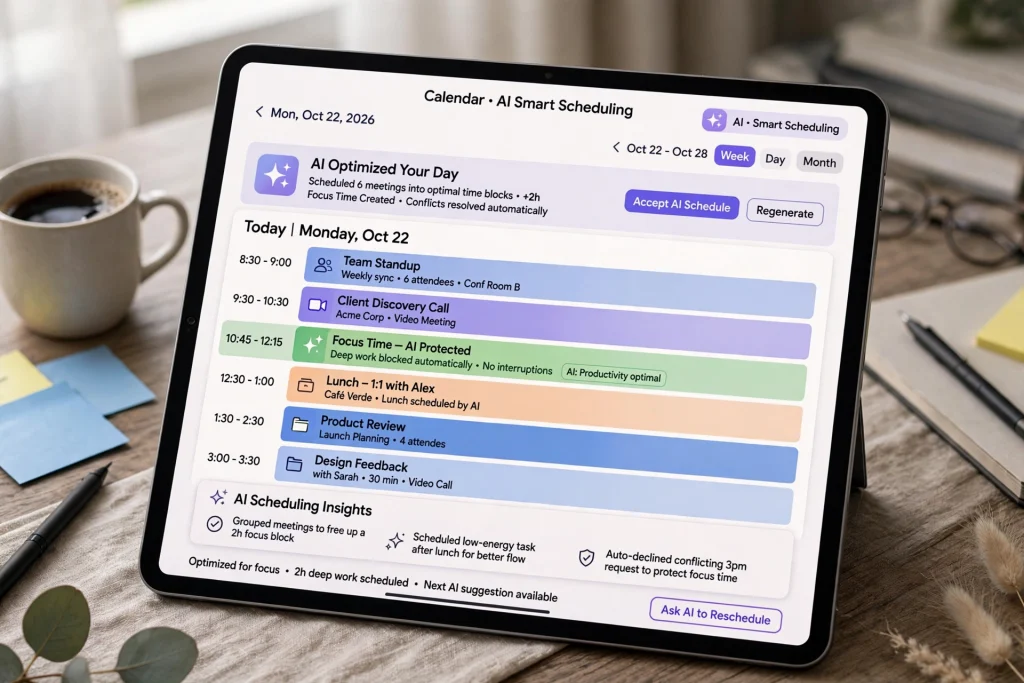
That’s the whole reason AI calendar assistants exist. These tools sit on top of the calendar you already have — Google Calendar, Outlook, whatever — and act like a chief of staff for your schedule. They slot tasks into open gaps around meetings. They guard your focus blocks. And when the day falls apart (it will), they reshuffle everything instead of leaving you to play Tetris again.
I ran the two biggest names still standing through two weeks of my actual, messy schedule: Reclaim and Motion. The third name everyone used to mention? Clockwise. Gone. Shut down earlier this year. More on that below — because if you were a Clockwise user, you need a new home.
What is an AI calendar assistant?
An AI calendar assistant is software that plugs into your Google Calendar or Outlook and manages your schedule for you. It finds open slots for your tasks around meetings, defends your recurring habits and focus blocks, sticks buffers between back-to-back calls, and reschedules the whole mess when plans change. Basically: a bouncer for your calendar.
Why focus time is the whole game
Nobody tells you this when you download one of these apps, so I will: the AI does not give you more hours. It can’t. What it does — the only thing it does — is stop meetings from eating the hours you already had.
That 57% stat keeps rattling around my head. More than half the week spent communicating. No to-do app survives that. A paper planner definitely doesn’t. But a layer of software that says “nope, this two-hour block is taken”? That might. I’ve been pairing mine with a weekly planning routine I actually stick to, and the combo does something neither does on its own. Weird how that works.

Reclaim: the focus-time guardian
Reclaim is the one I tell people to try first. Why? The free plan. It’s genuinely good enough to feel the effect before you spend a single cent. No credit card. No trial countdown ticking in the corner. Just… try it.
Setup goes like this. You tell Reclaim your habits — gym at 7, lunch at noon, deep work 9 to 11 — and feed it your tasks with deadlines. Then it defends those blocks like they owe it money. Someone books over your focus time? Reclaim finds the block a new home instead of letting it die. Smart meetings find times that work for everyone. Scheduling links kill the “does Tuesday work for you?” email ping-pong. And the buffer feature sticks breathing room between calls. Week one, it saved me from three straight hours of back-to-back Zoom. I nearly cried. (Okay, not really. But close.)
Pricing is refreshingly simple. The Lite plan is free forever — with caps on habits, smart meetings, and scheduling links. Starter is $10 per user per month on annual billing. Business is $15. And here’s a detail that matters: Dropbox bought Reclaim in August 2024. So it’s not some indie app that might vanish by Christmas. It’s got a parent with deep pockets.
What I liked: works with Google Calendar and Outlook, plugs into Asana, Todoist, and Linear, and the habit defense feels like actual magic the first time a meeting moves itself. What I didn’t like: setup takes a real afternoon. You have to define your habits and working hours before the AI has anything to defend. And the free plan’s limits show up fast if your calendar is genuinely chaotic. Ask me how I know. (My calendar is genuinely chaotic.)
Motion: the all-in-one with a real price tag
Motion takes a different road. Instead of sitting on top of your calendar, it wants to replace your task manager too. You dump in your projects, tasks, deadlines — everything — and Motion auto-schedules all of it into your day. Something slips? It re-prioritizes on the fly. Reclaim is a bodyguard. Motion is a personal assistant with opinions. Strong opinions.
For project-heavy work, the consolidation is honestly nice. One app. No syncing between two tools. No deep-work block landing on top of a deadline you forgot to import. But — and this is a real but — there is no free plan. None. Plans start at $19 a month. That’s a proper commitment for software that is, at its core, sorting your to-do list by deadline. Nineteen dollars. Every month. For a sorted list. I mean, it works. But still.
So: Motion is the stronger pick if your work lives in projects with real deadlines. If your chaos is mostly recurring habits and meeting overload? You’re paying for project machinery you’ll never touch. Don’t.
Reclaim vs Motion at a glance
| Feature | Reclaim | Motion |
|---|---|---|
| Pricing | Lite plan free forever; Starter $10/user/month (annual); Business $15 | No free plan; starts at $19/month |
| Auto-scheduling | Slots tasks into open gaps around meetings; reshuffles when plans change | Auto-schedules tasks and projects into your day; re-prioritizes on the fly |
| Task and deadline handling | Feed it tasks with deadlines; defends habits and focus blocks | Replaces your task manager; dump in projects, tasks, deadlines |
| Calendar sync | Google Calendar and Outlook | Google Calendar and Outlook |
| Integrations | Asana, Todoist, Linear | — |
| Best for | Budgets, meeting overload, recurring habits, small teams | Freelancers juggling project deadlines |
What happened to Clockwise?
Clockwise shut down on March 27, 2026, after its team joined Salesforce. The product stopped working. Scheduling links broke. User data was deleted — not migrated, deleted. Clockwise itself pointed departing users to Reclaim as the closest replacement. When the company that lost tells everyone to go to the winner, that tells you who won this category.
This one stung more than a normal shutdown. One 2026 industry roundup estimated Clockwise served around 40,000 organizations. Forty thousand! If you were one of them and still haven’t migrated — what are you waiting for? Reclaim is the natural landing spot. And if you’re reading an older article that still recommends Clockwise? Check the date. It’s out of date. Probably hilariously out of date.
Which one should you actually pick?
Okay, here’s my honest answer. Depends on who you are:
- On a budget or just curious? Start with Reclaim’s free plan. It defends your habits and schedules tasks for $0. Zero. That’s enough to learn whether this whole category even helps you.
- Drowning in meetings? Reclaim. Focus-time defense is its entire reason to exist. And pair it with an AI meeting-notes tool so the meetings you do attend drain less of your soul.
- Freelancer juggling project deadlines? Motion. One app for tasks and scheduling beats two apps duct-taped together. Trust me on this one.
- Running a small team? Reclaim Starter at $10 a seat. Covers up to 10 people with shared analytics. Easy math.
My verdict? Reclaim. Not because Motion is bad — it’s good, genuinely — but because the free plan lets you test the whole concept with zero risk before deciding whether $19 a month is worth it. Two weeks in, I got roughly six hours a week back. Six! Your mileage will vary, obviously. But I went in skeptical and I kept it. That says something.
One thing to do before you pay for anything
Don’t buy either tool on day one. Seriously. Connect the free version, define exactly three habits — just three — and live with it for two weeks. If you feel the difference, upgrade. If you don’t? No AI was going to fix your calendar. And that’s fine. At least you learned something for free.
Sometimes the real fix is declining a meeting. That’s free. Needs no login. Wild concept, I know. And if email is the other half of your time leak, I wrote about cutting email time in half with AI too. And if you’d rather not pay for anything at all? Fair. There are free AI tools that genuinely hold up.
Frequently asked questions
Yes, as long as you use the real thing. Both tools connect through official Google and Microsoft OAuth — so they get calendar permissions, not your password. Reclaim holds SOC 2 Type II certification and is owned by Dropbox. And you can revoke access anytime from your Google or Microsoft account settings.
Yep. Reclaim and Motion both support Google Calendar and Outlook. That used to be a differentiator — now it’s table stakes. If a tool only supports one calendar, skip it.
The Lite plan is free forever, yes. It covers basic habit defense, a scheduling link, and task scheduling. The limits — fewer smart meetings and scheduling links — show up fast for heavy users though. That’s when the $10/month Starter tier starts making sense.
Its team joined Salesforce, and the product was retired on March 27, 2026. Scheduling links died. User data was deleted rather than migrated. Clockwise pointed users to Reclaim as the closest alternative — which, again, tells you who won.
Two weeks with each tool taught me one thing: the AI isn’t magic. It’s just… consistent. Relentlessly consistent, in a way humans aren’t. My calendar didn’t need a genius. It needed a bouncer. So start free, defend three habits, and see what happens. Worst case? You learn the problem was never your calendar. It was your meeting culture. And honestly? That’s a useful thing to know.
Save hours every week with AI
One practical tip every Tuesday — the AI tools, prompts, and workflows that actually save you time. Free, no fluff.
No spam. Unsubscribe anytime.