I spent four hours on a 12-slide deck last month. The content took maybe 40 minutes. The other three-plus hours were me nudging text boxes around like a pixel janitor.
TL;DR: I tested seven AI presentation makers, and Gamma wins for most people — the free plan builds genuinely good-looking decks in about a minute, and you can export to PowerPoint when you need to. Pick Beautiful.ai for strict brand control, or Copilot if you never left PowerPoint.
Same kind of time sink as email. I wrote about cutting my email time in half with AI, and decks deserved the same treatment. AI presentation makers promise exactly that: you type what you want to say, and they build the slides for you. Layouts, fonts, images, the works. I tested seven of the most popular ones. The gap between the best and the rest surprised me.
What’s changed in 2026: these tools got faster and stopped looking so generic. When I first played with this category, I spent as long fixing layouts as building them; now Gamma turns a plain outline into a polished deck in about a minute, and its free plan still hands you 400 credits — roughly 8 to 10 decks — to test that claim. The templates genuinely look designer-made now. The weak spot, honestly, is still the copy.
What is an AI presentation maker?
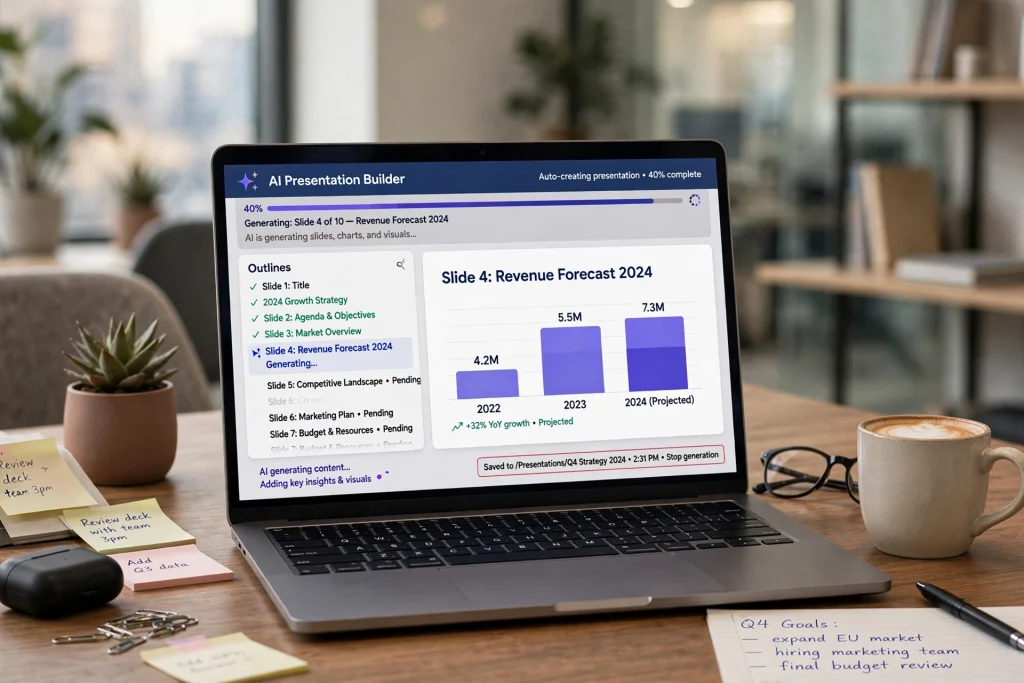
What is an AI presentation maker? It’s software that turns a text prompt, an outline, or an existing document into a finished slide deck, picking the layouts, fonts, images, and colors for you. Unlike the templates you’re used to, it also writes draft copy for each slide, which you then edit like any first draft.
The trend is real: Stanford’s AI Index 2024 found that 78% of organizations now use AI in at least one business function, up from 55% the year before. Microsoft’s 2024 Work Trend Index put personal adoption at 75% of global knowledge workers.
So which one should you actually use?
For most people, it’s Gamma. The free plan builds genuinely good-looking decks in about a minute, and you can export to PowerPoint when your boss demands a .pptx. If you need strict brand compliance, Beautiful.ai is the safer pick. I’ve rounded up more genuinely useful freebies in my list of free AI tools that actually compete.
1. Gamma: the best all-rounder
Gamma is the name everyone mentions first, and the hype is roughly deserved. Type a prompt and a minute later you have a deck that looks designer-made. The card-based editor feels closer to Notion than PowerPoint, and sharing is just sending a link.
The catch: those decks live on the web, and PowerPoint export is mixed. Trustpilot reviewers rate Gamma 2.0/5 over broken export formatting; G2 users who share via link give it 4.3. If your workflow ends in a .pptx attachment, test the export first.
Pricing is credit-based: the free plan gives you 400 one-time credits (roughly 8 to 10 decks) that don’t refresh. Plus is $9/month billed annually, Pro $18/month. A recent roundup of free AI presentation apps compared the free tiers.
2. Beautiful.ai: the best for brand control
Beautiful.ai takes the opposite approach. Its smart slides snap your content into designer-set rules automatically, so it’s genuinely hard to make something ugly. If your company has a brand guide, this is your tool.
The trade-off is flexibility. Want a slide to look one specific weird way? You’ll fight it. There’s no free plan: Pro is about $14.50/month on annual billing, with a 14-day trial. If you want an AI that remembers your preferences everywhere else too, here’s how I taught ChatGPT to remember me.
3. Canva Magic Studio: best if you already live in Canva
If half your marketing assets already live in Canva, this is the path of least resistance. Magic Design turns a prompt into a full deck using your brand kit, and you never leave the editor you already know.
Honestly, the AI generation is the weakest here. But Canva Pro is $120/year, and you’re probably using it for everything else anyway. The deck builder is a solid bonus on top of a subscription you already have.
4. Microsoft Copilot in PowerPoint: best for PowerPoint diehards
Some of us never left PowerPoint. Copilot now comes bundled with Microsoft 365 Personal ($9.99/month), so you may already be paying for it. It drafts slides from a prompt or an outline, and rewrites existing decks.
It won’t wow you the way Gamma does. But it’s the only tool here where the output is a real PowerPoint file from minute one. Zero export anxiety.
5. Plus AI: the best add-in for Google Slides
Plus AI lives inside Google Slides and PowerPoint as an add-in, so your deck is a native file from the start. It generates new decks and rewrites existing slides without making you learn a new app.
Basic is $10/user/month on annual billing ($15 month-to-month), starting with a 7-day trial. No free plan, but the trial includes 1,000 credits: enough for a real deck. One subscription covers both apps. Plus AI’s official pricing page has the current numbers.
6. Pitch: the best for teams that review together
Pitch is built for the messy middle of deck-making: comments, version history, real-time editing. The stuff that matters when five people touch the same slides. The AI generation is solid, but the collaboration workflow is the actual reason to use it. It’s free for small teams, with paid tiers as you grow.
7. Decktopus: the fastest first draft
Decktopus is the simplest tool on this list. Prompt in, structured deck out, zero configuration. It applies built-in design rules so every slide stays clean without you touching a thing.
The copy stays surface-level, so budget editing time. One heads-up: there’s no free tier. It starts at $9.99/month, per iLounge’s 2026 roundup of AI slideshow tools. Cheap, but you can’t kick the tires without paying.

AI presentation makers at a glance
| Tool | Free tier / starting price | Standout feature | Best for |
|---|---|---|---|
| Gamma | Free: 400 one-time credits (~8–10 decks); Plus $9/mo, Pro $18/mo | Card-based editor; designer-made decks in a minute; share via link | Most people; best all-rounder |
| Beautiful.ai | No free plan; Pro ~$14.50/mo annual; 14-day trial | Smart slides snap content into designer-set rules | Strict brand control |
| Canva Magic Studio | Free plan has basic AI features; Pro $120/year | Magic Design with your brand kit; never leave Canva | People who already live in Canva |
| Microsoft Copilot | Bundled with Microsoft 365 Personal ($9.99/mo) | Output is a real PowerPoint file from minute one | PowerPoint diehards |
| Plus AI | No free plan; Basic $10/user/mo annual; 7-day trial | Lives inside Google Slides and PowerPoint as an add-in | Google Slides add-in users |
| Pitch | Free for small teams; paid tiers as you grow | Collaboration: comments, version history, real-time editing | Teams that review together |
| Decktopus | No free tier; starts at $9.99/mo | Simplest tool; prompt in, structured deck out, zero setup | Fastest first draft |
How to get a good deck out of any of these
Three things separate a usable deck from slop.
Give it an outline, not a sentence. “Q3 sales review” gets you generic filler. Paste your actual talking points. If those numbers live in a spreadsheet, my ChatGPT-for-Excel guide saves the formatting pain first.
Tell it how many slides. Left alone, these tools bloat to 20 slides or squeeze everything into six. Cap it at eight and cut from there.
Edit the copy like you wrote it. Every tool here has confidently invented a statistic for me at least once. Read every slide out loud first.
I still export to PowerPoint or Google Slides and finish there when the deck matters. AI gets you 80% of the way; the last 20% is yours. For the meeting itself, I compared Otter, Fireflies, Fathom and Granola.
Frequently asked questions
Yes: Gamma’s free plan gives you 400 one-time AI credits, roughly 8 to 10 decks. Canva’s free plan includes basic AI design features too. But Gamma’s free credits don’t refresh. Once they’re spent, you upgrade or stop.
It makes a solid first draft, but don’t send it to investors untouched. AI pitch copy leans toward generic claims with suspiciously round numbers. Use it for structure, then replace every figure with your real ones.
The design is surprisingly good, usually better than what most of us make by hand. The writing is the weak spot. Budget 20 to 30 minutes to rewrite a 10-slide deck’s copy and it’ll hold up in a real meeting.
My honest take: if you build decks more than twice a month, Gamma’s free plan alone buys back a few hours. Try it this week on something small. If the export formatting survives your workflow, you’ve found your new starting point. And if the copy makes you cringe? Good. Your standards are intact. Edit ruthlessly.
Save hours every week with AI
One practical tip every Tuesday — the AI tools, prompts, and workflows that actually save you time. Free, no fluff.
No spam. Unsubscribe anytime.