
Last month I did the math and got a little sick. ChatGPT Plus: $20. An AI image tool: $20. A note-taking app with AI bolted on: $10. That’s $600 a year — on tools I mostly used to rewrite emails and summarize articles.
So I did something drastic, by my standards: I canceled almost all of them. Not to punish myself — I genuinely wanted to know what the free tiers could handle in 2026. Turns out: most of it.
Don’t misunderstand me. Paid plans are worth it for some people. But most of us bought a subscription during the hype, forgot to cancel, and now pay monthly for something we use twice a week. Here’s my honest breakdown — what actually works free, and the few things I’d still pay for.
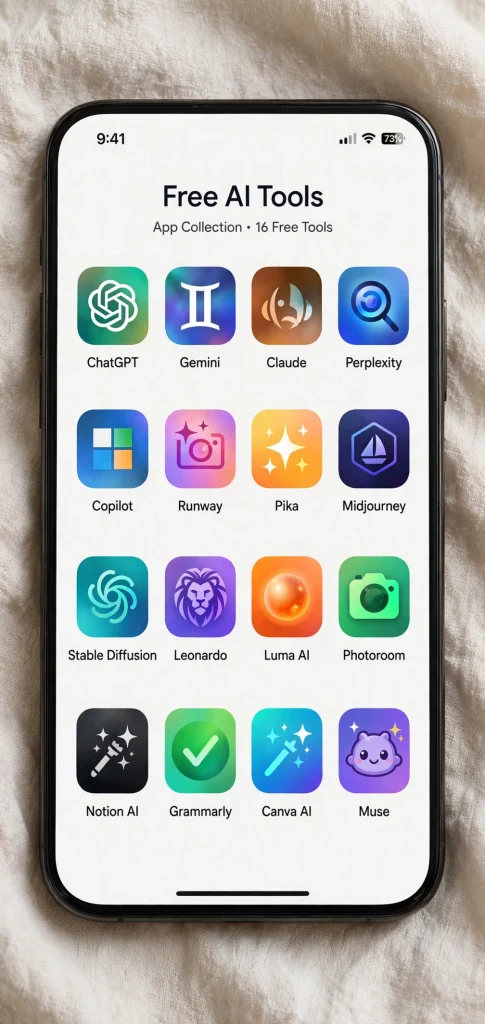
What counts as a ‘free AI tool that competes’?
A free AI tool that competes is one whose no-cost tier handles the same everyday jobs — drafting, summarizing, brainstorming, basic image generation — that you’d otherwise pay $10–30 a month for. In 2026, the free tiers of ChatGPT, Claude, Gemini, and Perplexity cover roughly 90% of what most people actually use AI for.
Some context on why this stings: C+R Research found that the average American’s monthly subscription spending is far higher than most people estimate — we’re all undercounting. The two-week usage tracking above mirrors the same ‘gym membership effect’: paying for capacity you barely use.
Why we keep paying for tools we barely use
It’s the gym membership effect. The subscription feels like an investment — paying $20 a month makes you feel like a serious person who uses AI. And the cancel button is buried three menus deep on purpose. Also, most of us signed up during a moment of genuine need: a big project, a job hunt, exam season. The project ended. The subscription didn’t.
I tracked my actual usage for two weeks before canceling. Reality check: 90% of my AI use was three things — drafting short text, summarizing articles and threads, and brainstorming. None of those need a paid plan in 2026. The free tiers handle all three with room to spare.
The free tools I actually use now
These aren’t theoretical. They’ve replaced my paid subscriptions for daily work. Each one gets a real verdict — what it’s great at and where the free tier bites.
1. ChatGPT (free tier) — the all-rounder
The free version handles writing, brainstorming, and quick research just fine. I use it for drafting and rewriting constantly — emails, meeting notes, even resume rewrites. The limits kick in when you push against the usage caps on the more advanced models or need to upload lots of files at once. For maybe 70% of what people actually use it for — writing, summarizing, idea generation — the free tier is honestly enough. If you were paying $20 a month just to write better emails (and wondering whether the $20 AI plans are actually worth it), cancel it and try the email system I switched to instead.
2. Claude (free) — the best free writer
This one surprised me. Claude’s free tier cuts you off sooner than ChatGPT’s if you marathon it all afternoon — but for pure writing quality, it’s the best free option I’ve found. Longform writing, tone adjustments, thoughtful edits. I draft blog outlines in Claude and rewrite awkward paragraphs there. When it hits the cap, I just switch back to ChatGPT for an hour. Two free tools, zero dollars, better than one paid plan.
3. Gemini (free) — the Google-integrated one
If you live in Gmail, Docs, and Drive, the free Gemini is quietly useful. The side panel in Gmail summarizes threads, and it pulls context from your own files without copy-pasting. The chat answers can be a little uneven, and the fancier features sit behind the paid plan. But for search-style questions and quick summaries of your own documents, it’s solid — and it’s already sitting inside the apps you use every day.
4. Perplexity (free) — the research assistant
Regular chatbots make things up. Perplexity answers with sources you can actually click. I use the free tier for anything where I need to trust the answer — product comparisons, travel planning, “what changed in the news this week.” You only get a limited number of the deep Pro searches per day, but the standard searches are unlimited and usually enough. This one replaced my habit of Googling everything and opening twelve tabs.
5. Microsoft Copilot (free) — the Windows user’s default
It’s already in Windows, Edge, and Office if you have Microsoft 365. The free Copilot generates images on a limited daily allowance, answers questions, and drafts text. Is it the best chatbot? No. Is it free, already installed, and surprisingly capable? Yes. If you’ve never tried any AI tool and the whole subscription thing annoys you, start here — there’s nothing extra to sign up for.
6. Free image generation — Microsoft Designer and friends
AI image tools were the most painful line on my bill: $20 a month for something I used maybe five times a month for blog graphics and social posts. The free options aren’t quite as good for photorealistic work, but for graphics, headers, and illustrations they hold up fine. Microsoft Designer gives you a solid free daily allowance of image generations, and Adobe Express’s free tier covers design templates. My rule now: if it’s a blog header, free is plenty. If I were generating product mockups for a living, I’d pay.
7. Free transcription — Otter and the built-in options
Meeting transcription apps love charging $10 to $20 a month for unlimited minutes. But the free tiers — Otter’s limited monthly minutes, plus the free transcription built into Zoom, Teams, and Google Meet — cover most people’s actual meeting load. I only transcribe a handful of meetings a week, so the free allowance is plenty. If you’re in back-to-back calls eight hours a day, you’re the edge case those plans are built for.

What I’d still pay for (the honest part)
Two scenarios where paid is genuinely worth it.
Heavy coding or technical work. If you’re a developer or data analyst, the top-tier models’ bigger limits and longer context genuinely save hours a week. This is the use case the paid plans are really built for.
Team features. Shared workspaces, admin controls, priority access during crunch time — if your whole team runs on one tool, the team plan pays for itself.
Everyone else? Try free for a month. The subscriptions quietly depend on you never checking whether you still need them.
Your cancel-and-keep weekend plan
Step 1: List every AI subscription you’re paying for. Include the sneaky ones — apps with AI add-ons you forgot about.
Step 2: Downgrade one at a time, not all at once. Cancel ChatGPT Plus first and use the free tier for a week. If you never hit a limit, you never needed the paid plan.
Step 3: Set a calendar reminder for two weeks out. Still fine? Cancel the next one. I also do a weekly planning session where I audit subscriptions alongside everything else — sounds nerdy, works great.
Frequently Asked Questions
For most people, yes. Drafting, summarizing, brainstorming, and basic research are all well within free-tier limits. You feel the paywall only with heavy daily use or specialized needs.
Usage caps (you’ll get cut off on marathon days), slower access at peak times, and fewer advanced features. For ~90% of everyday tasks, you won’t notice.
Two cases: heavy professional use (coding, data analysis — bigger limits save real hours) and team features (shared workspaces, admin controls). Everyone else should try free for a month first.
Free tiers have the same privacy policies as paid ones from the same company — which is to say, read them. Don’t paste anything into any AI tool that you’d be upset about existing on someone else’s server.
The bottom line
I’m not anti-subscription. I still pay for a couple of tools that earn their keep. But AI companies figured out the same thing gyms did years ago: the business model works best when you pay and barely use. Cancel the ones you don’t need, keep the free tools that do 90% of the job, and redirect that $600 a year to something you’ll actually notice. So far, I haven’t missed a single paid feature I can’t get for free — and that’s the real test.
Save hours every week with AI
One practical tip every Tuesday — the AI tools, prompts, and workflows that actually save you time. Free, no fluff.
No spam. Unsubscribe anytime.


Pingback: I Let ChatGPT Plan My Dinners for a Week - Productive AI Hub
Pingback: ChatGPT Plus vs Claude Pro vs Gemini: Worth $20? - Productive AI Hub
Pingback: AI Meeting Notes: Otter vs Fireflies vs Fathom vs Granola - Productive AI Hub
Pingback: ChatGPT for Students: 7 Study Prompts That Work - Productive AI Hub
Pingback: Teach ChatGPT to Remember You: A Memory Setup Guide - Productive AI Hub
Pingback: ChatGPT Travel Planning: 7 Prompts for a Better Trip
Pingback: AI Video Generators Compared: Runway, Pika, Kling, Veo - Productive AI Hub